Showing posts with label second life. Show all posts

Saturday, February 25, 2012

Furry Challenge Post #2 - Cyber Zebra

Here is my second picture for the furry challenge in Second Life. Different avatar, different location. Too much fun.
Honest Captain, I was not smoking.
Image taken at Deshima
* Avatar: DERP Zebra - Special Edition of their Horse Avatar
* Outfit: Graves Defence Black
* Boots: Graves G322 Combat Boots
* Belt & Arms: Neurolab Cyber Belt & Arm X2
* Hair: Neurolab Cyber Punk Hair Grey
* Guns: D-Z's Mini Redemption Dual Chain Guns

Thursday, February 23, 2012

Furry Challenge Post #1

Cover My Furry Butt issued a challenge back on the 18th for bloggers to show what they can do to cover some furry booty. Being a bit of a furry avatar fan I thought I would take a stab or 4 or 5 at this challenge. I know I should really just do one and call it good, but I really couldn't just pick one avatar to highlight.

Cover My Furry Butt #1
Image Taken at The Swamp in Malady Bog

I am not a fashion blogger and there for not great at keeping track of where things are from, but here goes.

* Avatar: Natural Snow Mew - Rawr! Avatars
* Pants:  Black Dusk Pants - Apricot Paws
* Jacket & Shirt: Soft Leather Jacket Black - Airflow
* Necklace - Ramus Necklace - Kosh
* Hair - Nagi Hair White - Sadistic Hacker

Tuesday, February 14, 2012

Playing with Pictures #2 - Spencer Museum of Art

A good friend introduced me to the Spencer Museum of Art sim. This is a fun sim to explore and watch itself build and then fall apart. The destination guide describes this sim as:
In the real world, art that repeatedly falls on its visitors might be grounds for a lawsuit. Thankfully, your avatar is well-equipped to sit in a pile of worn-out couches and enjoy the Petrovsky Flux, which grows like a cluster of molecules, then blows itself up before restarting the cycle.
 Rather than recreate what is already written, I will point you to an article on New World Notes from November of 2010. The explain the history behind the sim and the Petrovsky Flux. I went to Wikipedia expecting some grand explanation, the linked article sums it up well though.

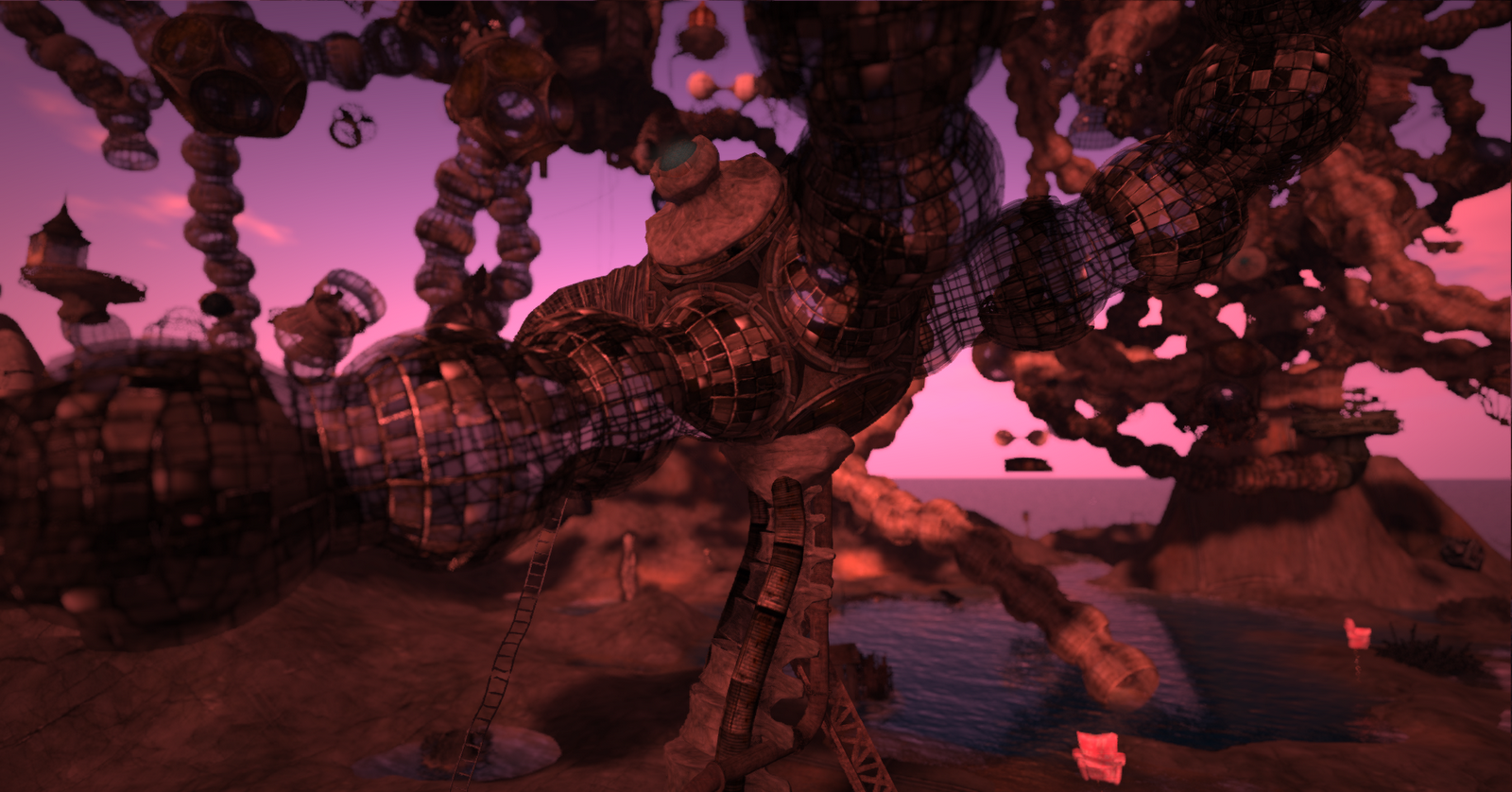
I was at the sim the other day and decided to snap a picture. Once again I played around with a lot of settings trying to find the correct look. Turned out pretty well I think, and gives you a good look at the the structure as it is being built.

The Petrovsky Flux at the Spencer Museum of Art in Second Life

Sunday, February 12, 2012

Playing with Pictures #1

I am by no means a photographer in Second Life, but I am having a lot of fun messing with the graphics settings in Exodus Viewer. In combination with Windlight settings you really can make things look realistic. I was camming around Effington Hills this morning and came across a nice angle. I started messing with the settings till I came to something that looked just right. I posted it to my profile in SL, but I thought that some of the detail was lost. Here is the full high resolution image.

Winter in Effington Hills - Click for full image
I must say that having a computer capable of running on Ultra with full deferred rendering is awesome, and having a viewer that lets you easily tweak so many settings is just icing on the cake.


Thursday, February 9, 2012

Fun with Client Side AO's

I wanted to write about Animation Overrides in Second Life or AO for short. Typically, an AO is an object worn on your avatar that changes your default animations in SL to make them nicer. The way you walk, stand, run, fly, everything can be changed using an AO. There is a good video on the Linden Labs forums that talks about how to use an AO. That is a great reference if you are unsure what an AO is, and have wondered how it is that everyone seems to be so life like while you stand around like a lump.

Most AO's in world utilize a scripted HUD attachment to change your animations. However, many third party viewers (TPVs) offer a client side AO option. This allows you to override almost the same variety of things but without having to use a HUD. I don't want to debate the merits of using a client side vs a HUD attached AO. What I do want to discuss is some of the advantages of the client side option as I see it, and talk about some fun things you can do if you decide to go the client side route.

I am not going to really go into how to use the client side AO in this article. Perhaps I will in the future. Let me point you too an excellent resource on the Firestorm/Phoenix You Tube page. They have a three part series on setting up and customizing the client AO for Firestorm. The one shown is used by most if not all of the TPV's that have this feature.

OK let me start by listing four advantages of using the client side AO. It is for these reasons that I only use the client side option now in Exodus Viewer.

The Client AO User Interface
  1. Easy Custom AO: While editing a notecard is not hard, the drag and drop simplicity of the client side AO means that I can build my AO easily in just a few minutes from scratch. I used animations from my old Vista AO combined with a set of hand picked animations from Kuso (Oracul). This is a great way to take your favorite animations and make them into a single custom AO.
  2. Multiple AO's: Vista, Akeyo and even Oracul all make nice HUD based AO's, with lots of different functionality and customization. However, one thing that I could not get from any of them was the ability to load a distinct set of animations into a single HUD. For example, if you wanted to have both a male and female animation set with a HUD you really need two copies of the HUD each with a different set of animations. Now most people likely do not need more that one set of core animations, but I will cover in a minute some other fun things you can do with the client AO that make this very powerful.
  3. Multiple AO's in my Viewer
  4. No Copy Friendly: The way the client AO works is that it creates links to your animations inside of your inventory, and reads those links to find your animations. If you have an animation that is No Copy, but you want to use it a few different AO's, you can with ease as the client tool will just keep creating the links it needs.
  5. Animation Links in Inventory
  6. Resource Friendly: The true value of this is debatable. Modern AO HUD's are well scripted and are often among the least offensive of scripted objects. However, if you are looking to do your part in reducing script lag you can eliminate all of your AO related lag by using a client side AO. In some very unscientific tests using HUDs from various vendors I noticed a reduction a few 10ths of a ms in script time for my avatar without the AO HUD attached. Related to script resources, is my desire to keep a very clean viewer space and having things HUD free is nice, even though modern HUDs take up very little screen space when collapsed.
If you look at the screen capture under item two above you can see some of the AO's I have stored. Its quite easy to use the client side AO tool in unique ways. Three ways I am using this tool that are not for a traditional AO are:
  1. Dance HUD: I have collected dances of a few different varieties. I have copied some of the dances into the stands area of my client side AO to create a dance HUD. I set the stands to cycle after a certain amount of time. Sometimes I use the random feature and sometimes not. Now I can switch from one set of dances to another and back to my standard AO very quickly. I dont have to attach a dance HUD or anything. Fast and simple. Perhaps the best thing is that I can add No Copy dances to multiple different saved dance routines. 
  2. Reduced AO: I don't do Second Life combat often, but I learned quickly that silly runs, walks and other animations made combat more difficult. I used to turn my AO off during combat, but now I switch to a saved AO that has only a few simple animations that work well for combat. Because this runs client side it does not introduce lag which can be a killer in combat...literally.
  3. Posing: I am just starting to play around with the idea of photography in Second Life. This is in large part due to my use of the Exodus Viewer and all of that many sliders and widgets for changing the way things look. I have collected various poses as time has gone along, and adding my favorites to the stands section in a custom AO allows me to switch into pose mode, and cycle through my poses very quickly. I can order my favorites at the top and begin taking pictures with a nice static pose very quickly. Because I have in effect turned off my regular AO by making this change I don't have to worry about some weird animation mix up happening mid shot.
I started using the client side AO in Firestorm and it continues in my use of Exodus. One of the primary reasons I do not use the vanilla Linden Labs version is that it lacks this client side AO feature. This tools isn't for everyone. HUD's from Vista and other companies offer a lot of very fine animation control which is not available in the client side option. Timings and transitions can be a little rough going with the client AO tool. Over all though I find it worth the trade off for the flexibility and features it offers.

Sunday, February 5, 2012

Thoughts on User Name Identity in Second Life


I do not have a lot of history in Second Life. I signed up for my first account sometime in 2005 ish I think, but only used it for a couple of days, and have had various other accounts since then that did not last much longer. My current avatar has just passed his 1st rez day though, and I feel I have been around long enough to and some thoughts and commentary on different topics. The discussion around bringing back last names in Second Life is heating up with the recent announcements from Linden Labs that they will be making a change to bring them back. I thought it would be fun to throw my own thoughts into the pile.

Relaxing in my forest - Display Names are all that is needed
My belief is that the display name functionality in Second Life is an elegant solution to identity. I can name myself what I want, I can change my name as I see fit, I can create the name identity that I want, really it just works. It seems to me that the biggest issue with the use of display names isn't the names themselves, but rather that people continue to see usernames in world. In my opinion, if name tags did not show usernames, this issue would not be as big as it is. I have read many complaints, but when I ask people in world it always seems to come down to either a) everyone should have a last name because it makes avatars seem more real (the culture of SL argument) or b) I hate seeing some noob named james4367 (the lack of options when last names are removed argument).

The issue with point b is simple to address by not viewing usernames in world. I stopped doing it and only use the display name option, such a simple solution. Point a is a bit more tricky to answer, but I would say that identity in world is very much a personal thing. Some people dont want a last name and some people want a first, middle and last. Some people want to use crazy characters that no one can read, and I personally like just having my first name. Regardless of what you desire, the display name function allows the perfect level of flexibility. My user name is something I login with, something that ties my inventory and other inworld assets, and is truly only important to Linden Labs. My display name is what is important in world, it is my identity as I want you to see it. 

I do realize that having joined, and stayed in Second Life, after display names were introduced in September of 2010 I do not have the same cultural attachment to the tradition first name/last name structure. I do recall though creating an account in 2007 and being frustrated to no end trying to pick a first/last name combo I liked.  I ended up with the awful name Towlie Mayo (I was watching a lot of South Park at the time) and have to say ugh, what an awful name to have in world. However, as a username that only Linden Labs really has to care about it makes little difference. I recently was able to recover this avatar and he now goes by the display name Bastion Bux.

One real issue I do see with display names is that by necessity they are not unique. Anyone in Second Life can share my display name, which is simply Sean. This raises a concern about impersonation. What happens if a person decides to grief a sim and use a different avatars name? What happens if I need to complain about a user and send in the non-unique display name associated with the account? Certainly these are important issues that need addressing and serious thought. Some of this comes down to proper access to instructional materials around using the viewer. For example, knowing that you can right click on any avatar and report them solves the issue when one needs to make a complaint. It seems to me that one of the reasons to only allow names to be changed once a week is to prevent this sort of behavior. These issues can be addressed and perhaps time is better spent trying to fix a few issues with the current system rather than re-inventing an old system.

I know it is not a popular argument, but looking to how these type of identity vs. account issues are addressed on the Internet generally shows a system very similar to what we see in Second Life with user names and display names. I think that there are enough similarities with how social networks are formed on the broader web and in Second Life to see how a similar solution can work with both. I hope that Linden Labs looks to established web based communities when thinking how to develop anything new around the naming issue.

Linden Labs seems to be devoting a lot of resources to combat this issue. I am hopeful that in changing to allow last names again that Linden Labs does not break what I think is a very workable system. I look forward to the new system announcement in February sometime, and to a time when developers can begin working on other issues important to Second Life.

What do you think? What am I overlooking? Let me know if you agree or disagree, and how you think names should change or stay the same in Second Life. If you have not read it, I suggest taking a look at the official wiki page for display names and user names.